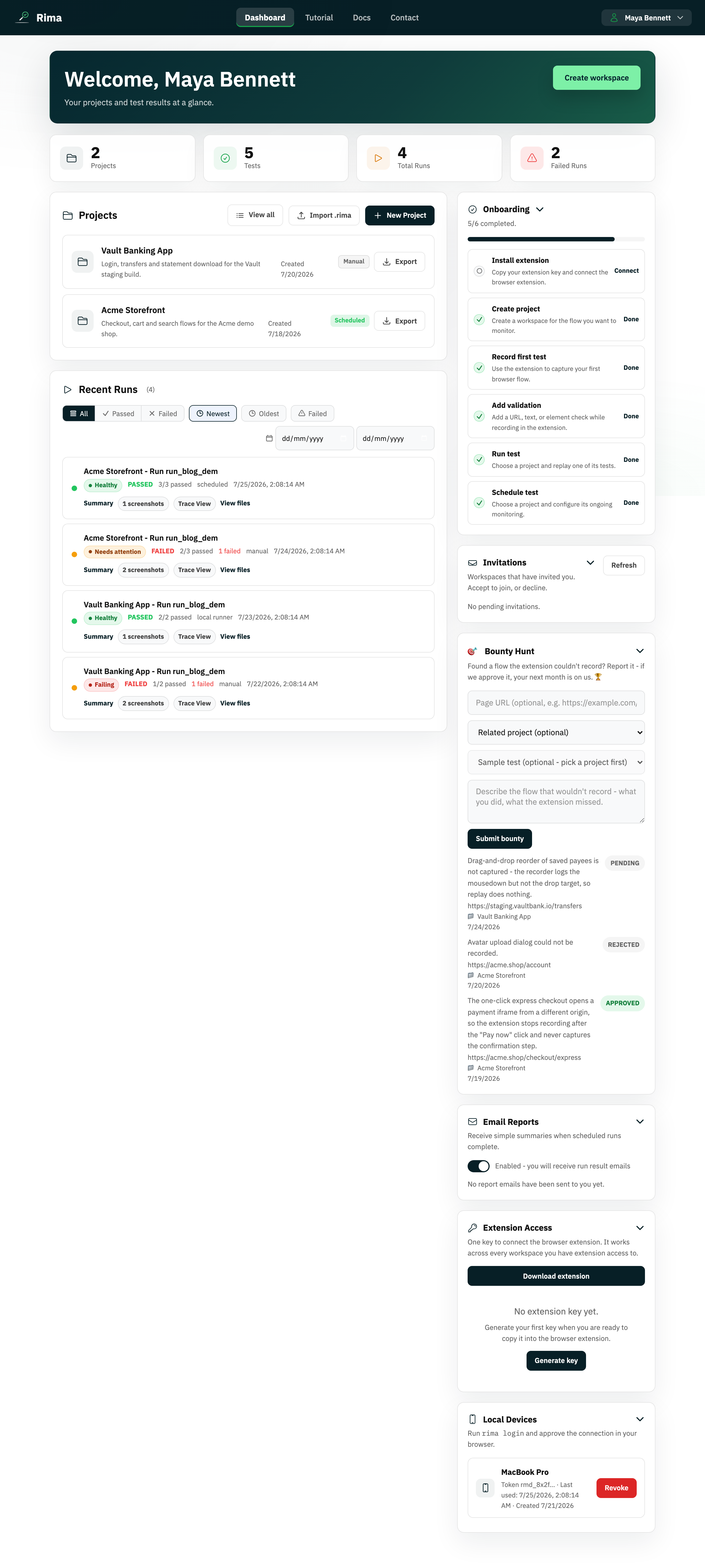
Definition
A workspace is the top-level container that keeps a team, its projects, permissions, subscription, and run history together.
What it is for
Use separate workspaces when projects belong to different companies, clients, teams, or billing accounts. Switching workspace changes the set of projects and people you are managing.
How it works
- Every project, test, run, member, and subscription belongs to exactly one workspace, and the app always operates inside the active workspace.
- Create your first workspace from the welcome flow, or open the profile menu and choose Create workspace to add another with its own plan.
- Switching workspace changes which projects, runs, members, and billing details you see; data never mixes between workspaces.
- The workspace owner manages the name, logo, roles, and deletion from Workspace settings.
Example
An agency can keep the “Northwind” client in one workspace and “Contoso” in another, so neither client can see the other client’s tests or reports.
Common use cases
- Separate client work.
- Give one team its own projects and roles.
- Use a different plan or billing account for another business unit.
- Keep production testing separate from a training workspace.
Where to find it
Create or switch workspaces from the profile menu. Owners manage the current workspace from Workspace settings on the dashboard.
Limitations, requirements, and permissions
- A workspace name is required and capped at 120 characters.
- Only the workspace owner can rename or delete the workspace and manage its roles; the owner cannot leave it, only delete it.
- Deleting a workspace is immediate and cannot be undone; the strong-confirmation flow requires the exact workspace name and your account password.
- Paid plans need an active subscription or trial; new paid workspaces start a 14-day free trial with no card required.
Related features and guides
Ready to try it yourself?
Create your free account, record your first flow, add a validation, and let Rima run it on a schedule for you.
Start free trial