Click through your app once
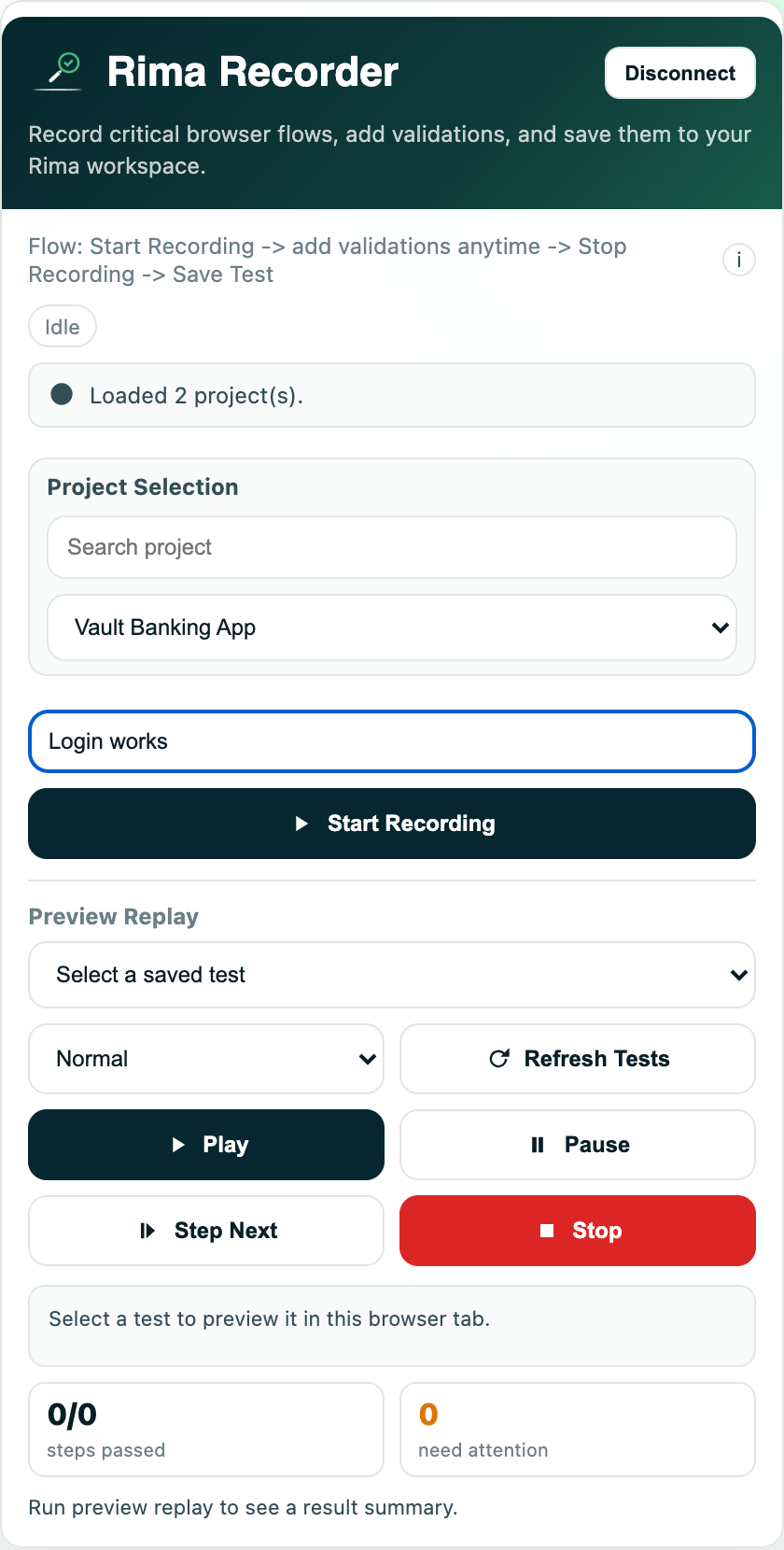
Add the Rima extension to Chrome or Firefox, press record, and use your site the way a customer would. Every click, keystroke and page change is written down as a step.
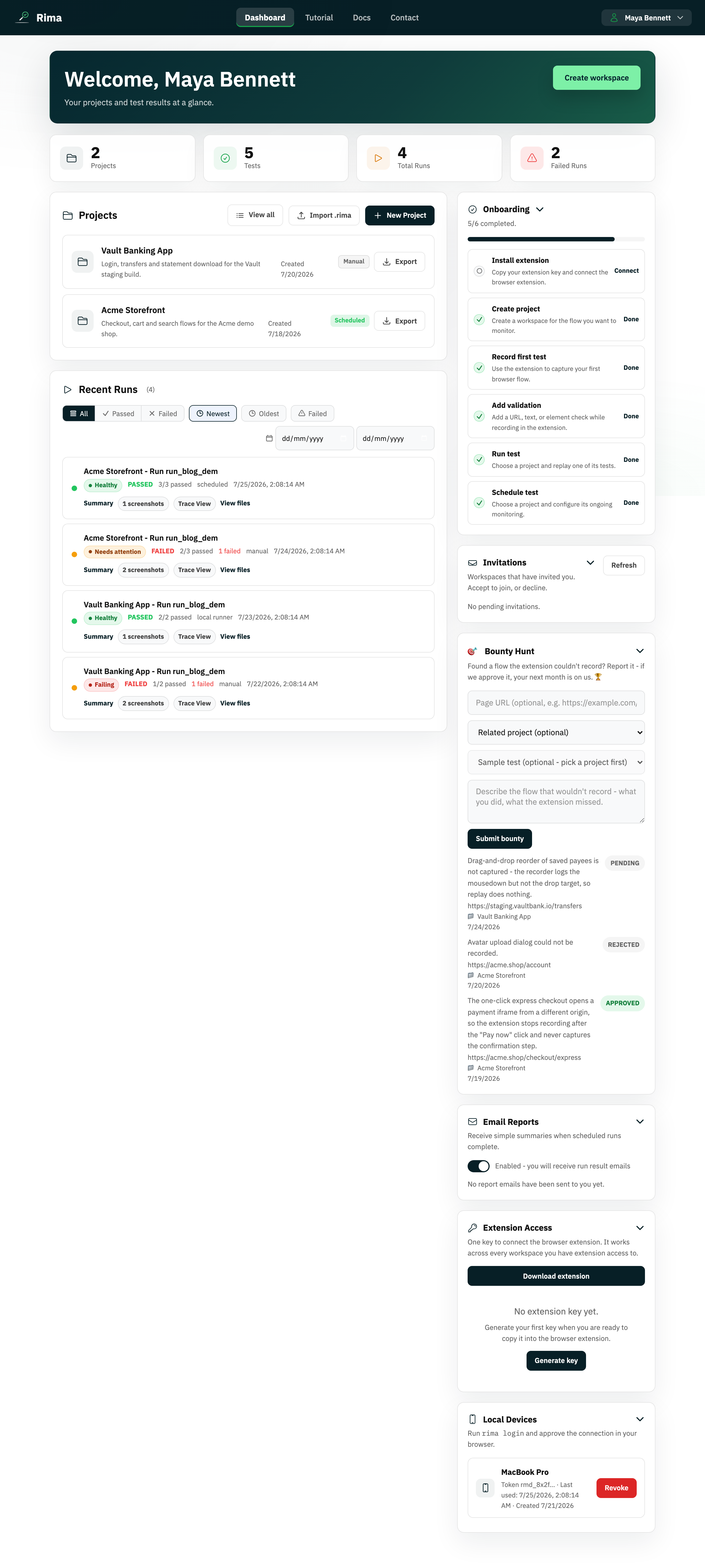
Rima clicks through your signup, login and checkout as often as you want, then shows you the exact step that broke, with a video of it happening. You set it up by clicking through your own app once. There is nothing to write.
Free plan · No credit card · First test takes about five minutes
If you can use your own website, you can set this up. You are not describing the flow to a machine; you are doing the flow, once, while Rima watches.
Add the Rima extension to Chrome or Firefox, press record, and use your site the way a customer would. Every click, keystroke and page change is written down as a step.
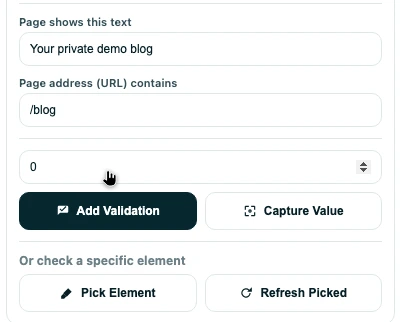
Tell Rima what "working" means: this text has to show up, this page has to load, this element has to be there. You click the thing you mean. There is no syntax to learn.
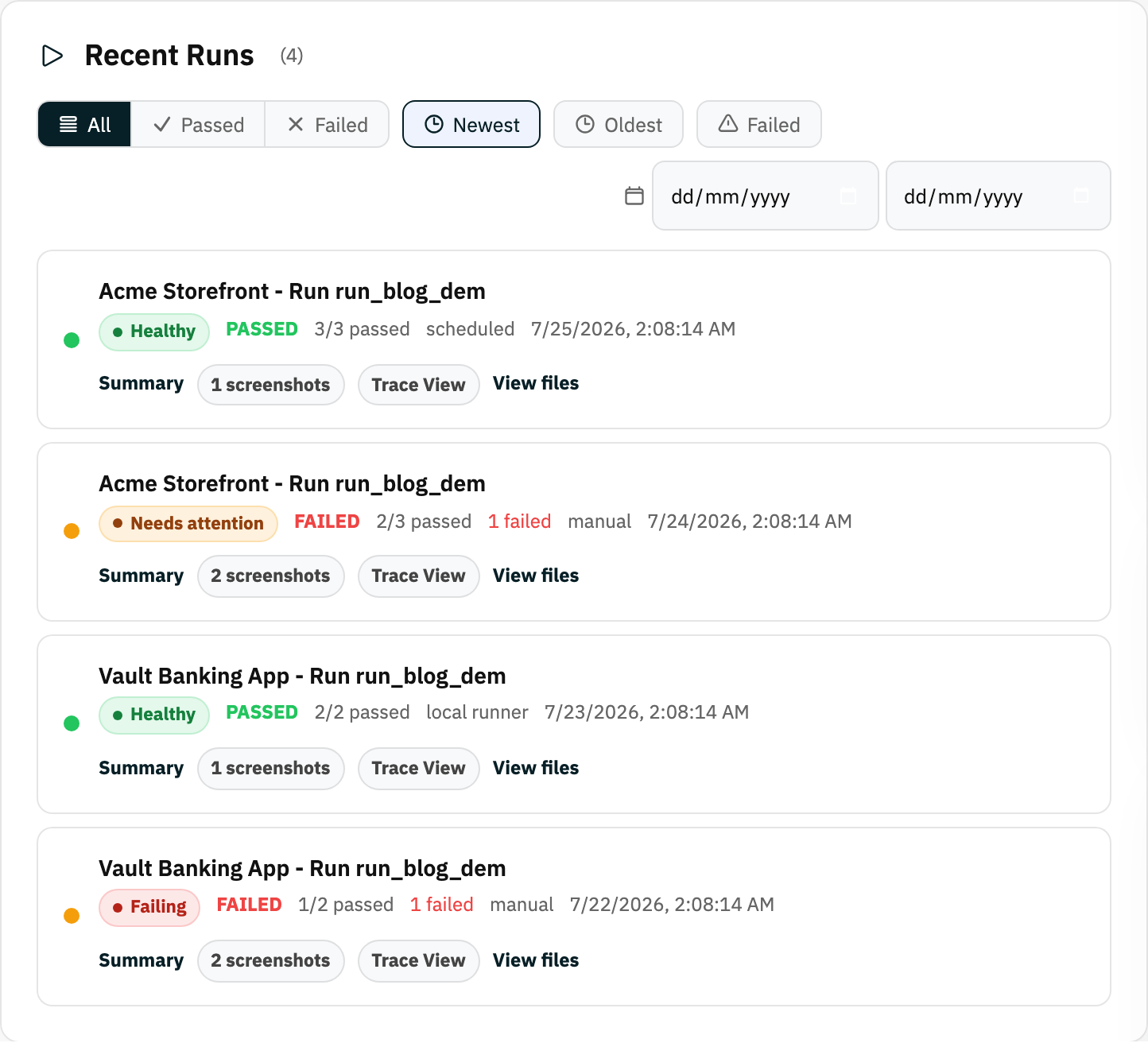
Every morning, after each release, or whenever you press run. When a step fails you get that step, a screenshot of the screen, and a video of the moment it went wrong.
Does it log in as me?
It signs in with whatever account you used while recording. Most teams point Rima at a dedicated test account rather than a personal one, and keep the login in a project variable so it is not retyped into every test. Rima can also generate throwaway email addresses for signup and one-time-code flows.
What if my page changes?
Small changes usually survive. Recordings replay through Playwright, which waits for elements to appear instead of guessing at timing. A real change to the flow will fail the test, which is the whole point. You re-record that step; you do not rewrite code.
Do I need a developer?
Not to set it up. Recording, checks, schedules and results all live in the browser and the dashboard. Developers usually appear later, when something needs fixing, and they get a step-by-step record of what the browser actually did, instead of a bug report written from memory.
It works, right up until the week it does not. The release is late, the check gets skipped, and the flow that takes your customers' money is the one that goes out untested. Nobody decides to skip it. It just gets skipped.
Rima takes the repeating part off your plate and leaves you the part that actually needs a person: deciding what matters and fixing what broke.
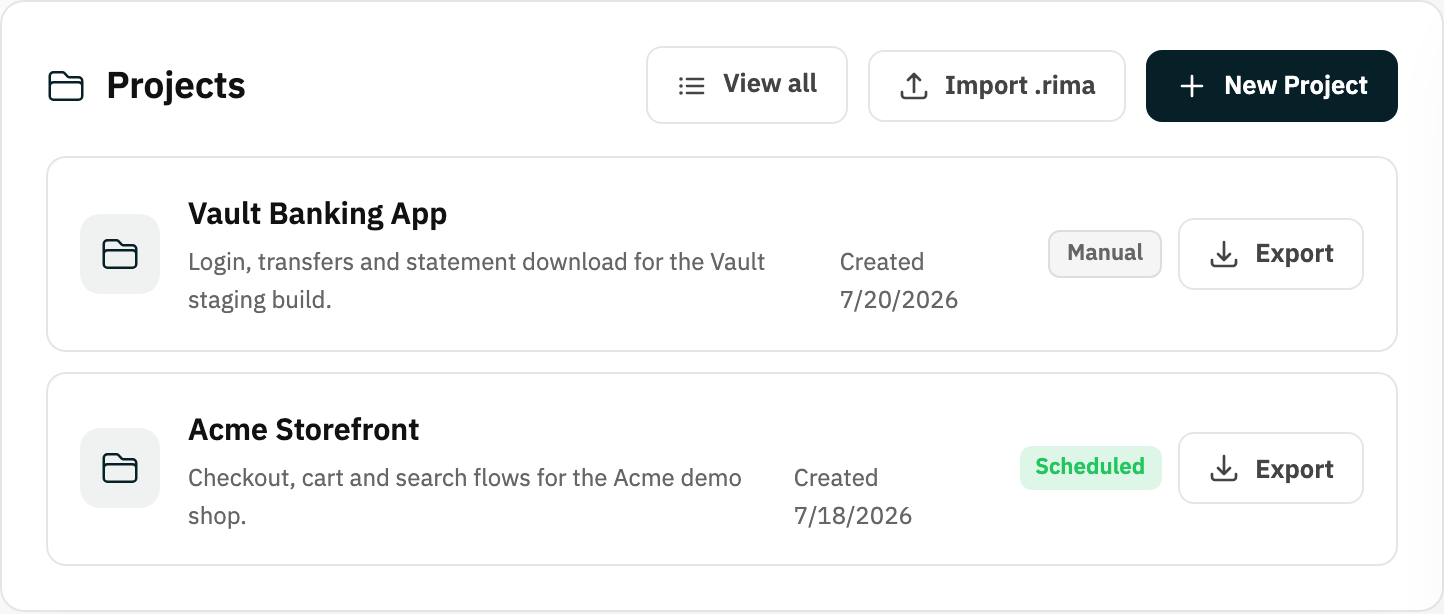
The worst part of a broken flow is not the bug. It is the hour spent trying to reproduce it. Every run keeps the proof, so the conversation starts at "here it is" instead of "works on my machine".
The build you most need to check is usually the one nobody else can reach yet. Rima can run your saved tests against it anyway, either on your own machine or through a temporary private route. You do not have to push a throwaway deploy just so a robot can see it.
Your unfinished branch stays where it is. No preview deploy exists just so a test can load the page.
A local run sits in the same history as a scheduled one, with the same screenshots and video attached.
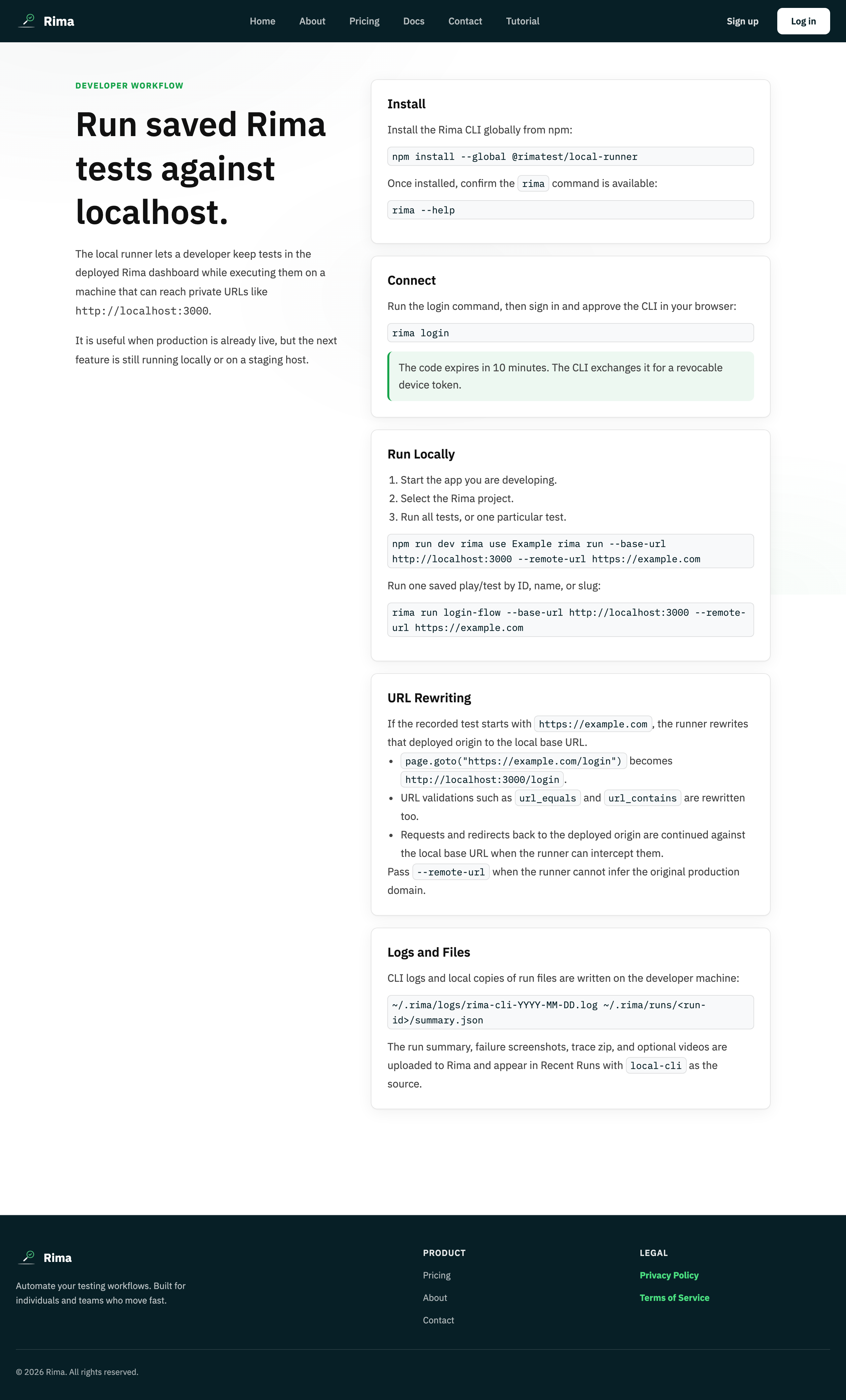
Point the same saved test at a different address. You do not record it a second time for every environment.
Rima makes throwaway addresses, waits for the email, and can click the verification link or read a one-time code out of it.
Turn any run into a read-only page you can send a client or a manager. They see the result without an account.
Invite the rest of the team into the same workspace so the checks survive somebody's holiday, or their notice period.
One saved check on the client site you maintain, so a plugin update at 2am is not something you hear about from the client.
The release checklist stops being a person's memory and starts being something that runs whether or not anyone is watching.
The same flows replay the same way every time, so review time goes on what actually changed instead of re-clicking the basics.
Still unsure about something? Ask us directly and a person replies.
Rima is a browser testing tool that records what you do and repeats it. Instead of writing test code, you add the Rima extension to Chrome or Firefox and click through a flow in your own app the way a customer would: signing up, checking out, editing a record. Rima writes down every step as you go. It remembers each button and field in several ways at once, so a small change to your page usually will not break the saved test. From then on Rima can run that flow on its own servers, on whatever schedule you choose, or on your own machine through the rima command line tool. Every run in the cloud keeps screenshots, a video, and a step-by-step record of what the browser did, and results land in a dashboard the whole team can read. Rima exists so the people who know the product best can protect its important flows without waiting for an automation engineer.
Rima has a free plan and three paid plans, priced per person in your workspace. The Free plan costs $0, and signing up never asks for a card; you only reach a checkout if you pick a paid plan. Monthly plans are Starter at $5, Pro at $12, and Business at $25 per person. Yearly plans are Starter at $50, Pro at $120, and Business at $250 per person, which is twelve months for the price of ten and saves 17%. Paying more raises the limits rather than unlocking a different product: how many projects and tests you keep, how many cloud runs you get each month, how many run at once, and how long results stay available. The top plan also lets you claim your own Rima web address. A five-person team on the cheapest paid plan pays $25 a month, or $250 a year, and someone added mid-year is charged only for the time left. Full limits are on the pricing page.
No. Rima is built so you can create, run and look after browser tests without writing any code. You record a test by clicking through your own app in the browser extension, and you say what "working" means by pointing at it: this text has to appear, the page address has to be right, this element has to be there. Rima calls those checks validations. Scheduling, run history and the evidence from a failure all live in a web dashboard. Underneath, each recording becomes a real test script, which matters for two reasons. Your tests wait for the page to be ready instead of guessing at timing, and that is the main defence against tests that pass one day and fail the next for no real reason. And any developer on your team can read exactly what a test does. So developers are not shut out, they are just not required to get started.
Playwright, Cypress and Selenium are excellent testing frameworks, and they are all code: a developer writes the tests in a programming language, runs them on machines your team maintains, and looks after them like any other code. Rima is a different layer. Tests are recordings rather than code, they run on Rima's servers or on your own machine, and scheduling, video, evidence and shared team workspaces come with it instead of being assembled from parts. The Playwright comparison is the closest one, because Rima runs on Playwright underneath: your recordings become real Playwright scripts, so you get that engine's speed and its habit of waiting for the page rather than guessing, without writing the code. If your team would rather hand-write tests, those frameworks are the better choice and we say so. Read the honest head-to-heads: Rima vs Playwright, Rima vs Cypress, and Rima vs Selenium.
Yes. Runs on Rima's servers cover anything reachable from the public internet, and for everything else Rima has two answers. The rima command line tool runs the same recorded tests from a machine inside your own network: a laptop, an office server, or a server you run yourself. Staging sites, internal tools and builds on localhost never have to be exposed publicly, and results still report back, so local runs sit in the same history as cloud ones. The other option is a temporary private route, which lets Rima's browser reach a private address through a connection you open from your side, so nothing has to be opened up to the internet. Choosing between them is mostly a policy question: the command line tool keeps all browser traffic inside your network, while the private route keeps the running in Rima's cloud. Both are documented on the local runner page and in the docs.
Evidence, not just a red X. Every Rima cloud run captures screenshots at the moment of failure, a video of the whole browser session, and a step-by-step record of what the browser did: what the page looked like at each point, and exactly which action failed. Runs live on a page you can share, so a developer can step through the detail while a product manager watches the video, and nobody has to reproduce the problem from someone's description. Scheduled runs can email a summary, so something that broke overnight is in your inbox before standup. Failures also name the check that did not hold, the exact text, address or element, which usually points straight at the change that caused it. And because the recorded steps are real user actions, "the checkout test failed at the payment step" reads like a bug report a person would write.
Pick the one thing on your site you would hate to find broken, and record yourself using it. It takes about five minutes and costs nothing.
Free plan · No credit card