Web Application Testing Tools in 2026
Web application testing tools all promise the same outcome: catch the broken signup, the broken checkout, the broken dashboard before a customer finds it. Where they genuinely differ is who writes the tests, where those tests run, and what you get back when one fails. Group the market by those three questions and the shortlist gets short fast.
A note on naming, because it trips up searches: website testing tools and web application testing tools are the same category. Vendors pick whichever phrase suits their marketing. A tool that can drive a marketing site through a browser can drive a logged-in dashboard through the same browser; what changes is how much state and authentication the test has to carry, not the underlying tool.
Disclosure up front: Rima is our product, and it runs on Playwright underneath. Every claim below is checkable against each tool's public documentation, and we say plainly where something else is the better fit.
What web application testing tools actually do
Underneath the branding, most web application testing tools are doing four separate jobs. Tools are strong at some and weak at others, and the mismatch between what a team needs and what a tool optimises for is where abandoned test suites come from.
Authoring
Getting a user journey into a repeatable test. Either you write it in code, or you record it by performing the journey once in a real browser.
Execution
Actually driving a browser. On your laptop, in CI, on a managed grid, or against a private environment that never reaches the public internet.
Scheduling
Running the suite without a human starting it, on a cron, on every deploy, or both, and telling someone when a run goes red.
Evidence
What lands in your lap when a test fails. A stack trace is the floor; screenshots, video, and a step-by-step trace are what turn a failure into a fix.
Website testing tools, by category
Code-first frameworks
You write tests in JavaScript, TypeScript, Python, or Java and run them in your own CI. Maximum control and no licence cost, in exchange for engineering time: someone has to write the selectors, own the flakiness, and keep the suite green.
Record-and-replay tools
You perform the journey once in a browser extension and the tool saves it as a replayable test. Far lower barrier to the first test, and non-engineers can add coverage. The trade is less control over the generated steps than hand-written code gives you.
Browser grids and device clouds
Infrastructure rather than authoring: they rent you real browsers and devices at scale. You still need a framework to drive them, so these usually sit alongside a code-first tool rather than replacing it.
Unit and API layers
Not browser tools at all, but worth naming because they catch different bugs far more cheaply. A fast unit suite plus a handful of end-to-end journeys beats a hundred slow browser tests that nobody trusts.
How to choose web application testing tools
Feature grids flatten out fast, because most tools can technically do most things. These are the questions that actually change which web application testing tools will still be running in your team six months from now. Ask them before the demo, not after.
Who maintains the suite?
The honest answer decides everything else. If the answer is "an engineer, between features", a code-first framework is realistic. If it's "whoever has time", recorded tests survive turnover far better than hand-written selectors.
Where does the app under test live?
A cloud runner can't reach http://localhost:3000 or a VPN-only staging host. Check for a local runner or tunnel before you commit, not after.
What arrives when a run fails at 3am?
A red X in a CI log costs someone an hour of reproduction. A screenshot at the failing step, a video, and a trace you can scrub through costs a few minutes.
What does it cost as the team grows?
Per-seat, per-run, and per-parallel-browser pricing diverge sharply at scale. Model the price at ten times your current run volume, not today's.
Where Rima fits
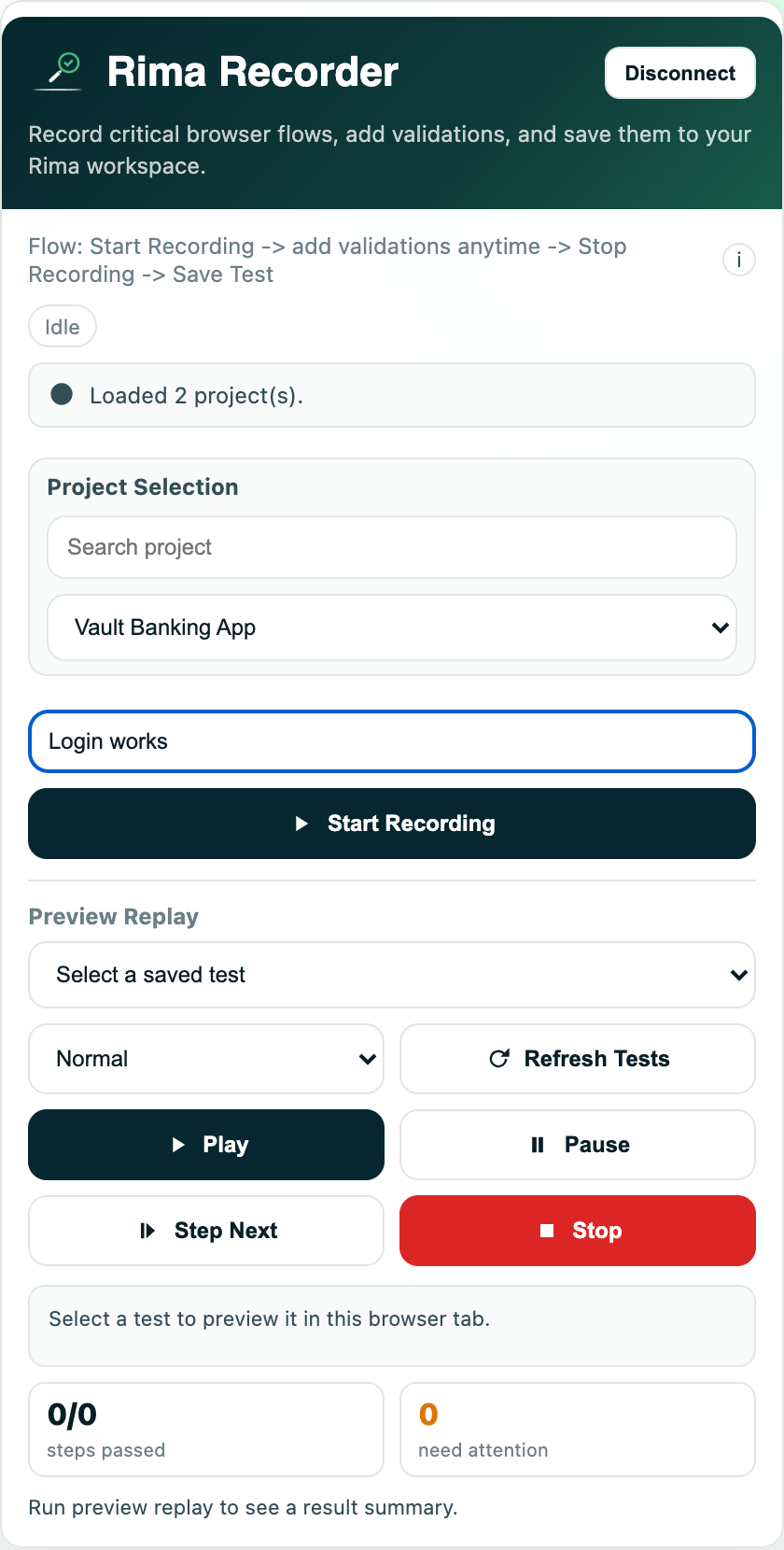
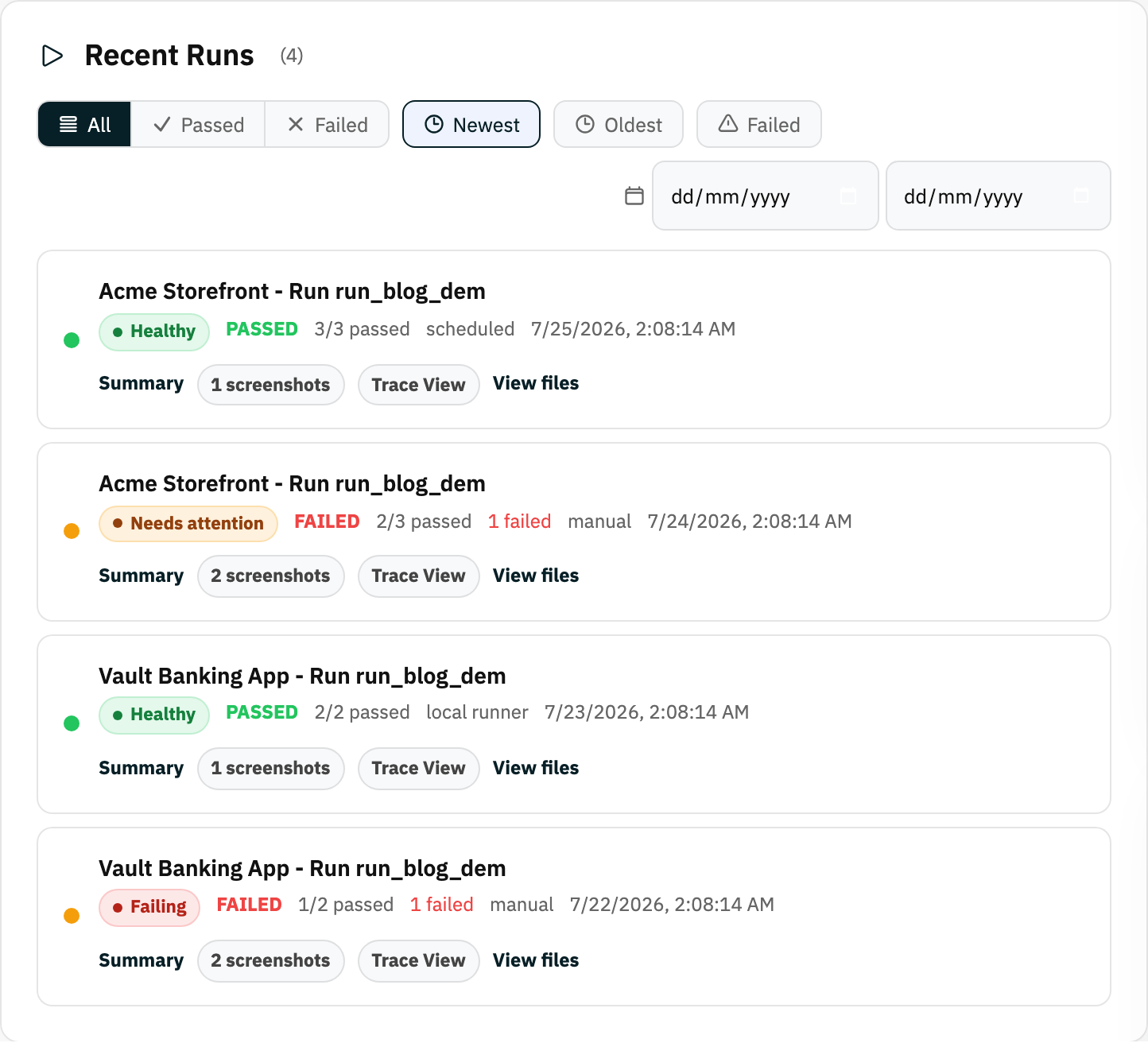
Rima is a record-and-replay tool: you capture a real journey with a browser extension, add validations to the steps that matter, and replay it on Playwright cloud browsers on a schedule. Runs come back with pass and fail counts, screenshots, and a trace view, and a local runner covers apps that only exist on localhost or a private staging host.
It is the wrong choice if you want tests as code reviewed in pull requests, or a large real-device matrix. For those, Playwright with a device cloud is a better answer, and we've written the head-to-head comparison rather than pretending otherwise. Most teams end up running two website testing tools anyway: a fast unit suite underneath, and one browser-level tool over the journeys that cost money when they break.
Sources for the tools named above: playwright.dev · cypress.io · selenium.dev · Rima docs.
Head-to-head detail lives on our end-to-end testing tools comparison, including Rima vs Playwright, Rima vs Cypress, and Rima vs Selenium. Facts current as of July 2026.
Frequently asked questions
Are website testing tools and web application testing tools different?
In practice, no. The phrases describe the same category, and vendors use them interchangeably. Both drive a real browser through a real page. The only meaningful difference is how much login state and data setup a test needs, which is a property of what you're testing rather than of the tool.
Do web application testing tools replace manual QA?
No. They replace the repetitive part, the same twenty clicks through signup and checkout before every release. Exploratory testing and judgement about whether a feature is any good stay human.
How many end-to-end tests should a small team have?
Start with the journeys that lose money when they break: signup, login, checkout, and the one screen your customers live in. Five reliable tests that run every day beat fifty that nobody trusts.
Can these tools test a site that isn't deployed yet?
Some can. A cloud-only runner needs a public URL, so testing a local build requires either a tunnel or a runner that executes on your own machine against http://localhost:3000.
Try the recorded-test approach
Record one real user flow in your browser and replay it on Playwright cloud browsers. Free plan, no code, no CI setup.
Start free Read the docs