Definition
A test is a saved browser flow: an ordered set of actions plus optional validations that Rima can replay.
What it is for
A test turns a repeatable user journey into something Rima can execute on demand, on a schedule, in the cloud, or from your computer.
How it works
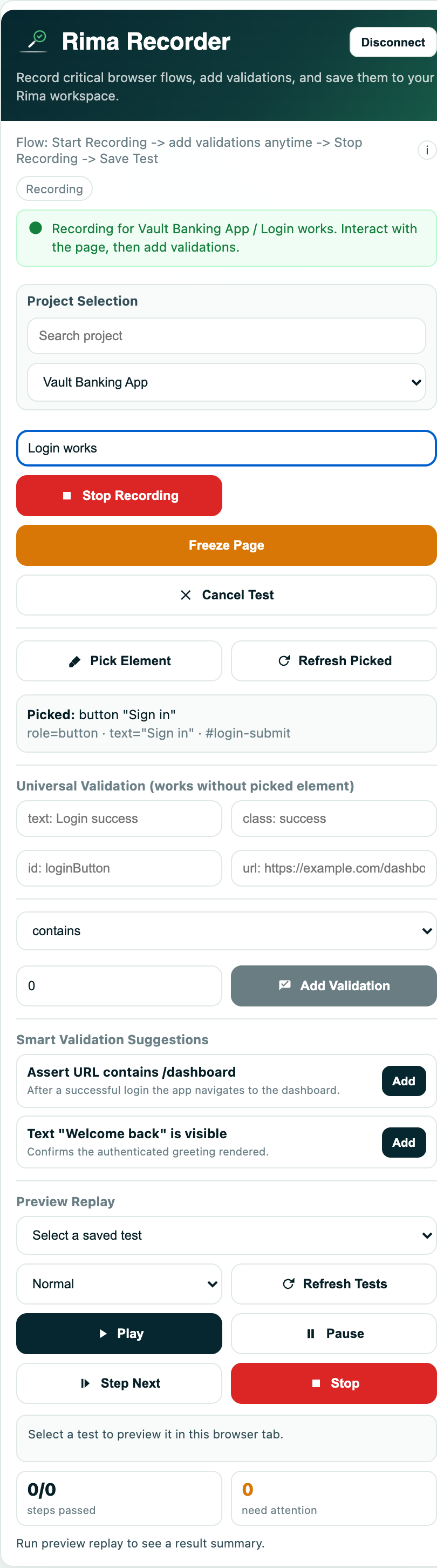
- Record a flow once with the browser extension; every click, keystroke, and navigation becomes an ordered recorded step.
- Saved tests live inside a project, where you can rename them, edit step values, insert or delete steps, and add validations.
- Run a test on demand, in a group, on a schedule, or from the local runner CLI; each execution creates a run with its own evidence.
- Tests can be enabled or disabled, grouped into suites, and chained with Run Before dependencies.
Example
A “Customer login” test opens the login page, types an email and password, submits the form, and validates that the dashboard appears.
Common use cases
- Check a critical user journey after a deployment.
- Reuse login before other tests.
- Run regression checks on a schedule.
- Reproduce a reported browser problem.
Where to find it
Record tests with the browser extension and manage them inside a project.
Limitations, requirements, and permissions
- Recording requires the browser extension connected with an extension token and a verified account.
- Only enabled tests can be selected for runs, groups, and schedules.
- Plans can cap recording length; when the timer runs out the extension stops and saves the test automatically.
- Deleting a test cannot be undone from the interface.
Related features and guides
Ready to try it yourself?
Create your free account, record your first flow, add a validation, and let Rima run it on a schedule for you.
Start free trial