Definition
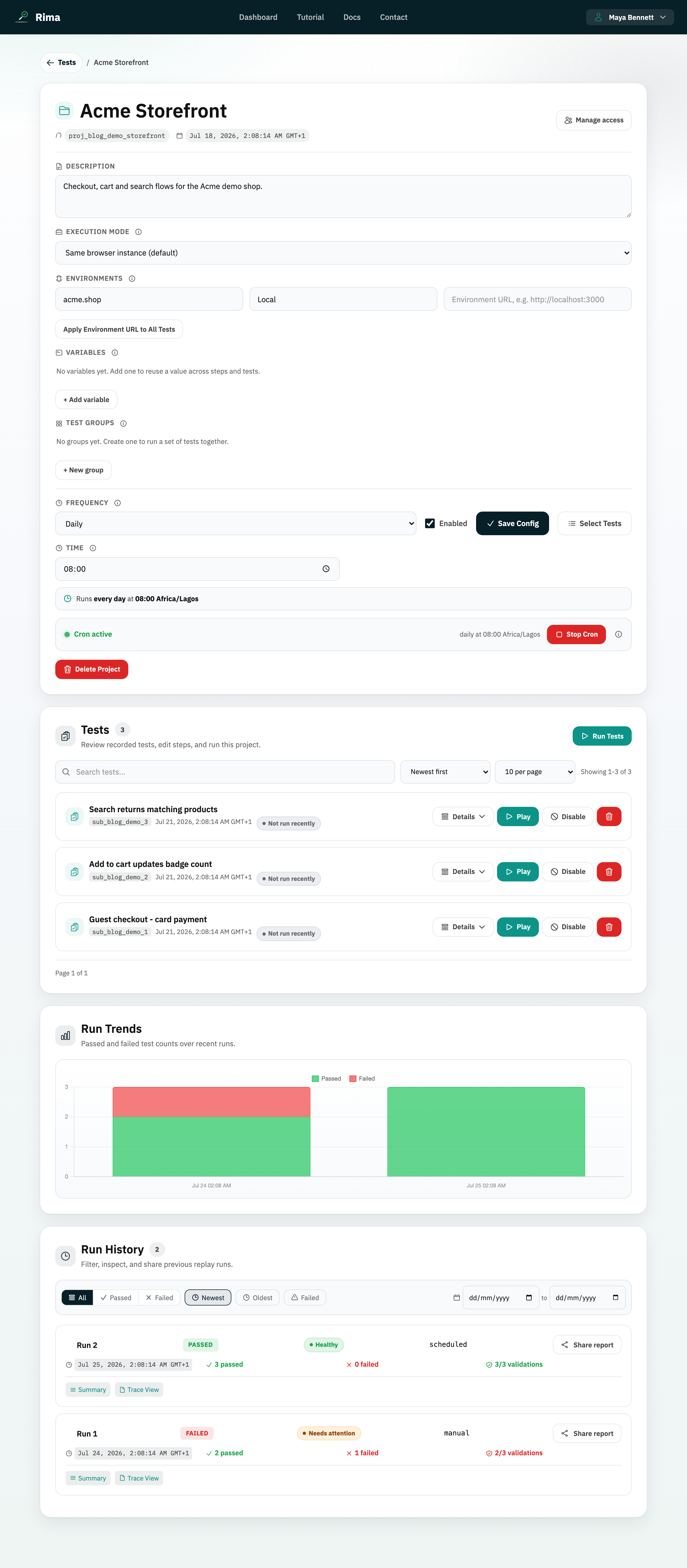
The test list is the table of saved tests inside a project, with controls to search, sort, paginate, expand details, rename inline, and delete.
What it is for
Use the test list to find any test in a project quickly, inspect its recorded steps, keep names tidy, and remove tests you no longer need.
How it works
- Type in the search box to filter tests; the list updates as you type.
- Sort by newest, oldest, name A-Z, name Z-A, enabled first, disabled first, healthiest first, or needs attention first.
- Choose 10, 20, or 50 tests per page and move between pages with the pagination controls.
- Click Details on a row to expand the recorded steps and validations; click again to collapse.
- Click a test name to rename it inline: Enter or blur saves, Escape cancels.
- Click Delete on a row and confirm to remove a test permanently.
Example
In a project with 80 tests, a tester searches “checkout”, sorts by needs attention first, expands the failing test’s details to inspect its steps, renames it “Checkout (guest flow)”, and deletes an outdated duplicate.
Common use cases
- Locate one test among dozens by name.
- Surface unhealthy tests by sorting on recent run health.
- Review a test’s recorded steps without running it.
- Rename tests to a consistent naming scheme.
- Delete tests that are no longer relevant.
Where to find it
On a project’s detail page, in the Tests section: search, sort, and page-size controls sit above the table, and each row has Details, rename, and Delete actions.
Limitations, requirements, and permissions
- Viewing, searching, and sorting require project view access; renaming needs test edit permission and deleting needs delete-test permission.
- Health-based sorting depends on recent run data.
- A test name must be non-empty and unique within the project; duplicates are rejected by the server.
- Deleting a test cannot be undone from the interface.
- Page-size options are fixed at 10, 20, and 50.
Related features and guides
Ready to try it yourself?
Create your free account, record your first flow, add a validation, and let Rima run it on a schedule for you.
Start free trial