Definition
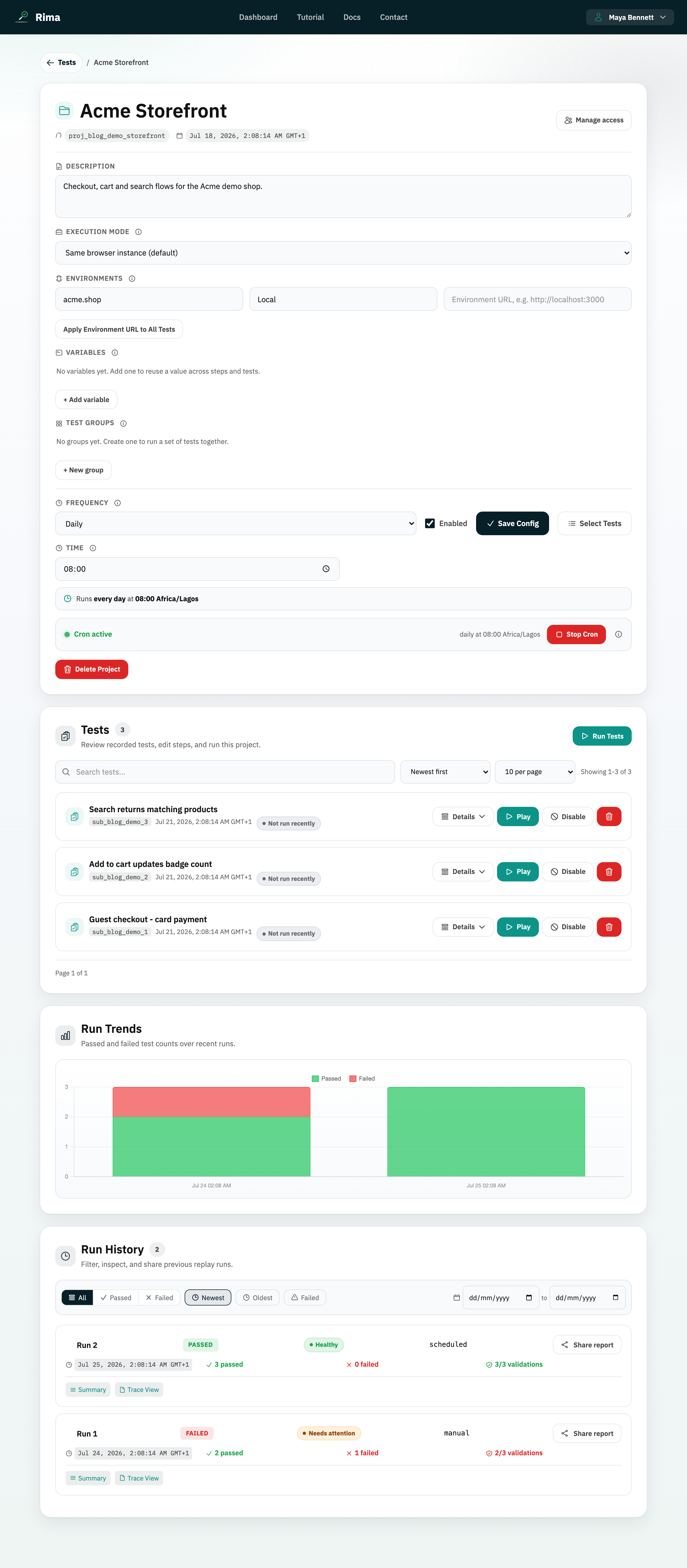
Test health is the project-list view of how reliably a saved test has been passing or failing in recent runs.
What it is for
It helps you sort stable tests away from tests that need attention.
How it works
- Rima looks at each test’s recent run results and surfaces reliability in the project test list.
- Sort by Healthiest first or Needs attention first to prioritize maintenance.
- Use it with Run Trends to tell whether an unhealthy test reflects a product regression or a flaky test.
Example
Sort by Needs attention first to bring a repeatedly failing checkout test to the top.
Common use cases
- Find flaky tests.
- Prioritize maintenance.
- Identify stable coverage.
- Review health after a release.
Where to find it
Use the health sort options above the project test list and review each test’s recent status.
Limitations, requirements, and permissions
- Health needs recent run data; new or rarely run tests carry little signal.
- It is a sorting aid, not an alert: check the run history for the actual failures.
Related features and guides
Ready to try it yourself?
Create your free account, record your first flow, add a validation, and let Rima run it on a schedule for you.
Start free trial