Definition
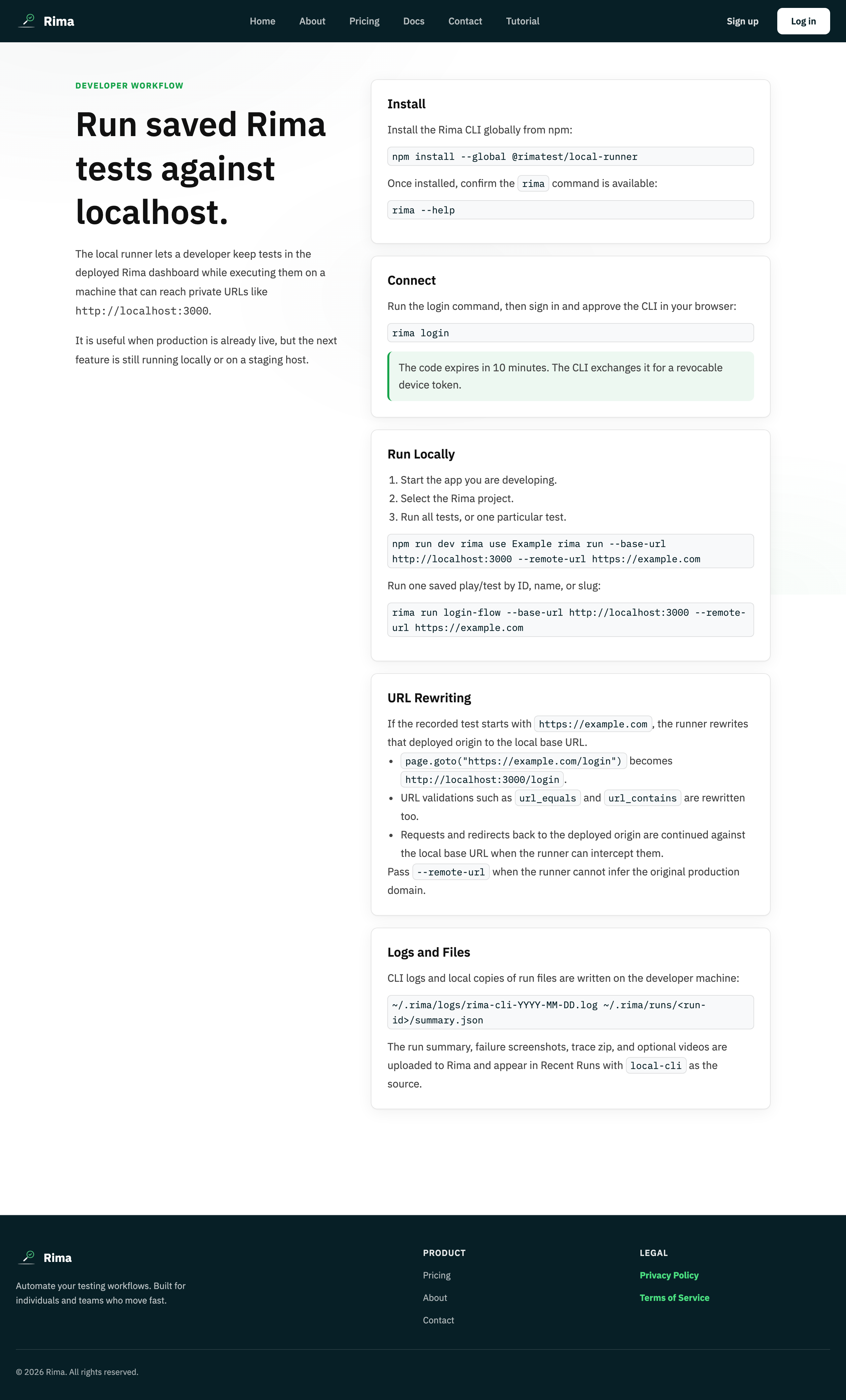
The Rima CLI is the rima terminal command that lists your workspaces, projects, and tests, and runs saved tests on your own computer.
What it is for
Use the CLI to run cloud-recorded tests locally (against localhost, staging, or private builds) and to browse your workspaces, projects, and tests without opening the web app.
How it works
rima --helpprints every command and option.rima workspaceslists workspaces;rima workspace [id-or-name]orrima select workspacesaves a default, with an arrow-key picker when no argument is given.rima projectslists projects;rima project [id-or-name],rima use, orrima select projectsaves a default project.rima testslists the selected project’s tests; add--verboseto any list command for IDs and details.rima testwith no argument opens an interactive picker: choose one test or All and it runs immediately, while Escape cancels.rima test <name|slug|id>orrima run <name|slug|id>runs one test;rima test --allruns every enabled test in the project.- Run options include
--headed,--no-trace,--no-video,--no-upload,--stop-on-failure, plus URL and environment overrides. - After a run, the CLI prints local paths: JSONL logs in
~/.rima/logsand summaries, traces, videos, and screenshots in~/.rima/runs/<run-id>/.
Example
A developer runs rima use Storefront, then rima test --all --port 3000 to replay every enabled checkout test against a local build, and opens the printed ~/.rima/runs/<run-id>/ folder to review the trace.
Common use cases
- Run tests against localhost or a private staging build.
- Verify a fix locally before pushing it.
- Pick and run a test interactively without remembering its name.
- Script test runs with API-key login in automation.
- Inspect local logs, traces, videos, and screenshots after a run.
Where to find it
In your terminal after installing the Rima CLI and logging in with a device code or API key; local output lands under ~/.rima/ on the machine that ran the tests.
Limitations, requirements, and permissions
- Requires the CLI installed and an authenticated config; log in first with a device code or API key.
- Listing and running require a resolved workspace and project; ambiguous names may need IDs.
- Only enabled tests are listed for running and executed; runs need local Playwright/browser dependencies and a plan entitlement that allows runs.
- Logs and artifacts stay on the local machine unless uploaded;
RIMA_HOMEcan override the home location.
Related features and guides
Ready to try it yourself?
Create your free account, record your first flow, add a validation, and let Rima run it on a schedule for you.
Start free trial