Definition
A device code is a short-lived code used once to connect a computer running the Rima CLI to your account.
What it is for
It provides a safe terminal login without typing your website password into the CLI.
How it works
- Generate the code in the dashboard Local Devices panel, optionally naming the device.
- Run the displayed
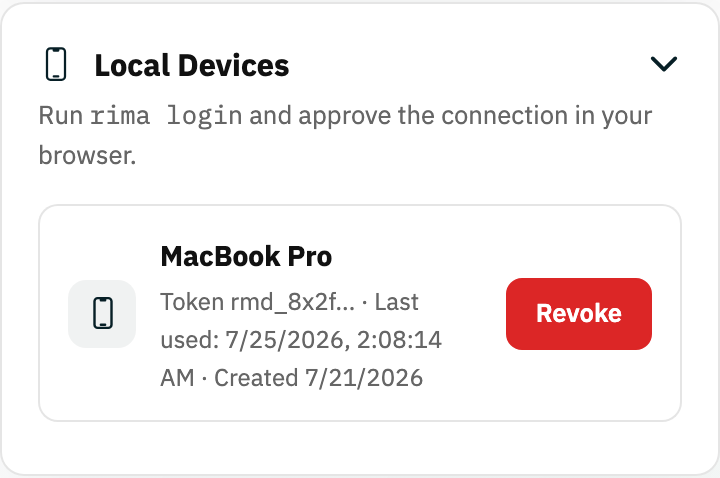
rima logincommand; the CLI exchanges the code for a device token stored in~/.rima/config.json. - The device then appears in the Local Devices list with its token prefix and last-used date, and can be revoked at any time.
Example
Generate a code on the dashboard, run the displayed login command on your laptop within 10 minutes, and the laptop appears as a connected device.
Common use cases
- Connect a developer laptop.
- Authorize a new CI runner interactively.
- Replace a revoked local device.
- Avoid copying a long-lived key.
Where to find it
Open the Local devices dashboard panel and press Device code.
Limitations, requirements, and permissions
- Codes are short-lived and exchanged once by the CLI; generate a new code if it expires.
- Requires local-device access on your account.
- A revoked device token stops authenticating immediately.
Related features and guides
Ready to try it yourself?
Create your free account, record your first flow, add a validation, and let Rima run it on a schedule for you.
Start free trial