Definition
Run History lists past executions; Run Trends summarizes how results change over time.
What it is for
Together they show whether a failure is new, recurring, or improving.
How it works
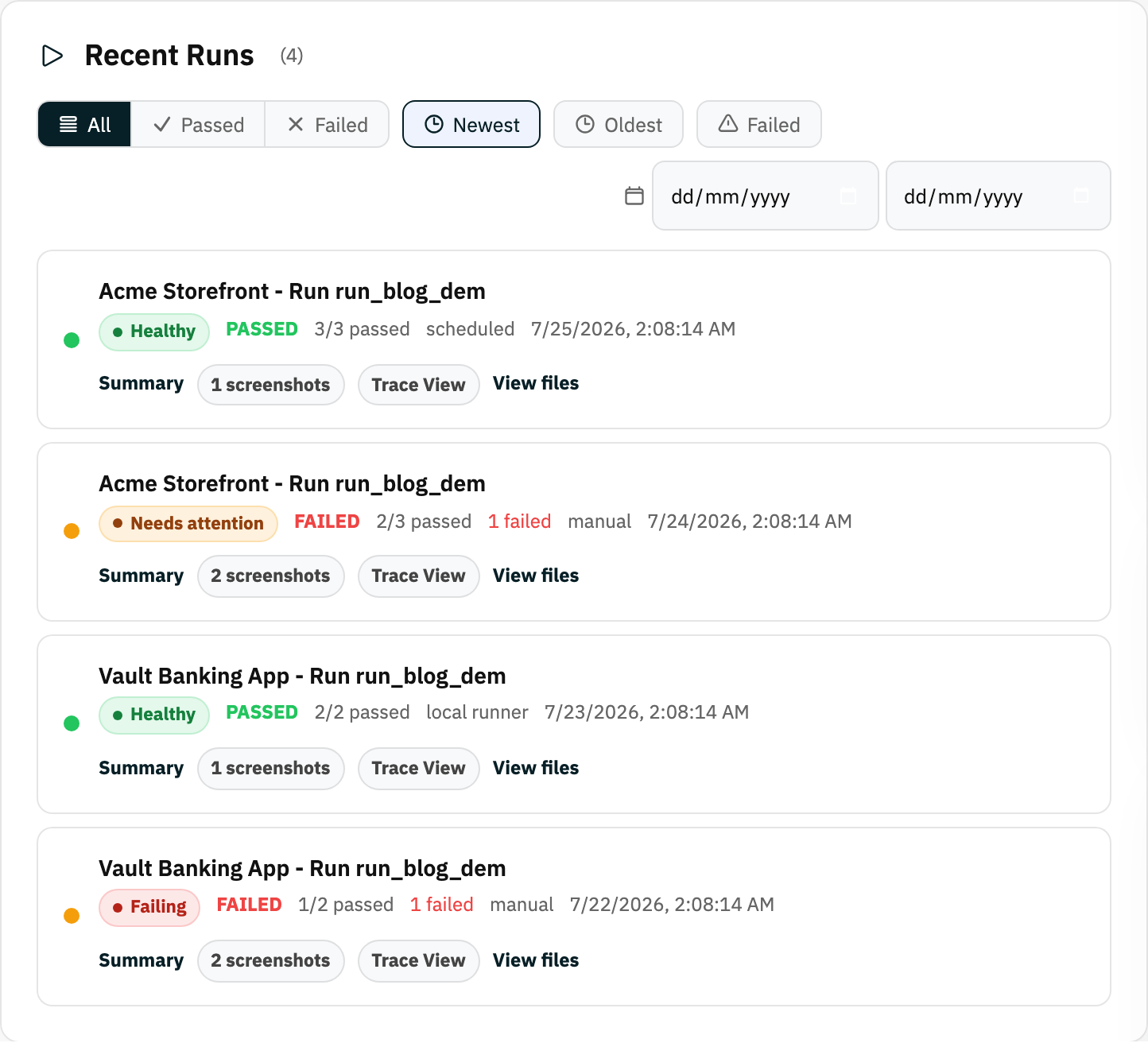
- Run History lists executions with status, project, and timing; filter by result (All, Passed, Failed) and date range, and sort newest, oldest, or by failures.
- Run Trends charts passed and failed test counts across recent runs so you can spot when reliability changed.
- Each history row links to the run summary, trace, files, and share-report actions.
Example
Filter the last seven days to failed runs, then use the trend chart to see whether failures began after a release.
Common use cases
- Find recent failures.
- Compare local and cloud runs.
- Track reliability over time.
- Filter by result or date.
Where to find it
Open a project and scroll below its tests to the Run Trends and Run History panels; recent runs also appear on the dashboard.
Limitations, requirements, and permissions
- Shows runs for the current workspace or project that you have access to.
- Trends need existing run history before the chart has anything to plot.
Related features and guides
Ready to try it yourself?
Create your free account, record your first flow, add a validation, and let Rima run it on a schedule for you.
Start free trial