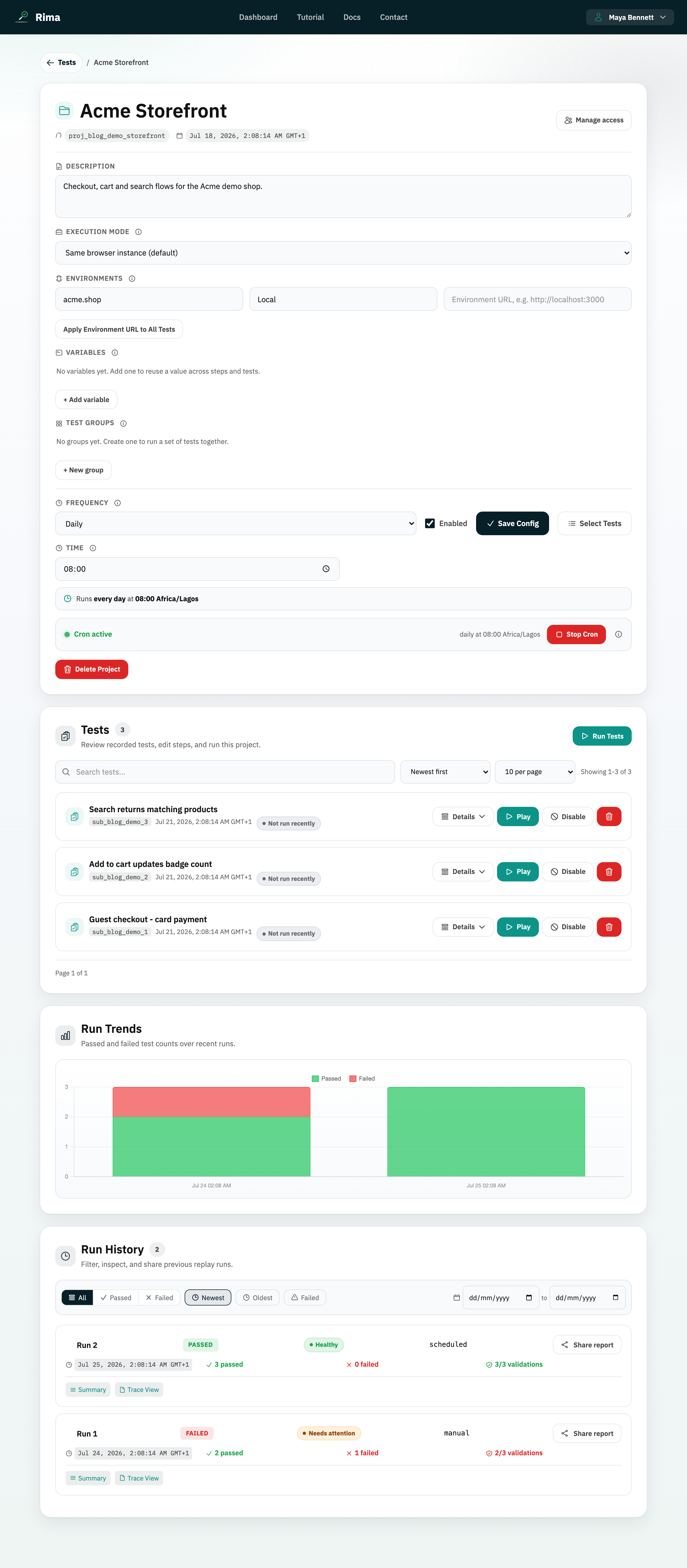
Definition
A test group is a named, ordered, reusable selection of tests inside a project.
What it is for
Groups make it easy to run or schedule the same suite without rebuilding the selection each time.
How it works
- Create a group in project settings or save the current selection from the Run Tests dialog; name it, pick tests, and drag to set the order.
- Groups can carry run-before dependencies, which are expanded automatically on the server when the group runs.
- Run a group from the project, from its dashboard project-card button, or attach it to the project schedule.
- Deleting a group never deletes the tests inside it.
Example
A “Release smoke test” group can run registration, login, search, checkout, and logout in that order.
Common use cases
- Create a smoke suite.
- Schedule critical journeys.
- Run a team-standard regression set.
- Launch a group from the dashboard.
Where to find it
Create and reorder groups in project settings, or save the current selection as a group from the Run Tests dialog.
Limitations, requirements, and permissions
- A group needs a name and at least one test; empty groups are rejected.
- Only enabled tests are selectable, and disabled tests do not count as runnable, so running a group with no runnable tests is rejected.
- Creating and editing groups requires project edit permission.
Related features and guides
Ready to try it yourself?
Create your free account, record your first flow, add a validation, and let Rima run it on a schedule for you.
Start free trial