Definition
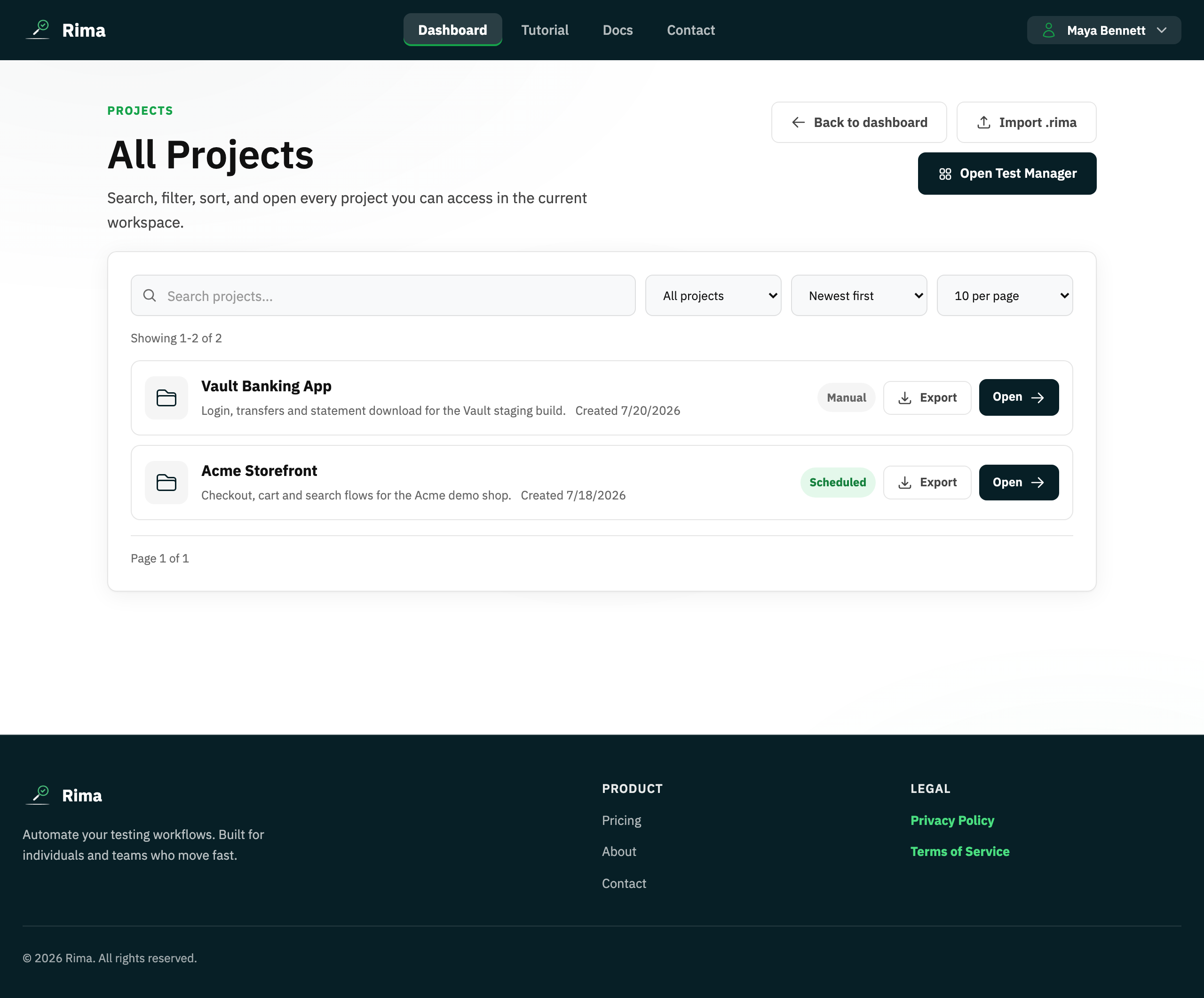
Project export packages a project and its tests into an encrypted .rima archive; import restores that archive into a workspace.
What it is for
It provides a portable backup and a controlled way to move a project between workspaces or Rima installations.
How it works
- Export packages the project and its tests into an encrypted
.rimaarchive protected by a passphrase you choose. - Import accepts the archive plus the same passphrase and creates a new project with the imported tests.
- Both actions are available from the dashboard project cards and the Projects page.
Example
Export a project with a passphrase, send the archive to another workspace owner, and import it there with the same passphrase.
Common use cases
- Back up a project.
- Move tests between workspaces.
- Share a reusable test pack.
- Copy a project into a training account.
Where to find it
Use Export on a project card and Import project on the dashboard or Projects page.
Limitations, requirements, and permissions
- The export passphrase must be at least 8 characters; it is not stored and cannot be recovered, and without it the archive cannot be imported.
- Import requires create/import permission and an eligible plan, and always creates a new project rather than merging into an existing one.
Related features and guides
Ready to try it yourself?
Create your free account, record your first flow, add a validation, and let Rima run it on a schedule for you.
Start free trial