Definition
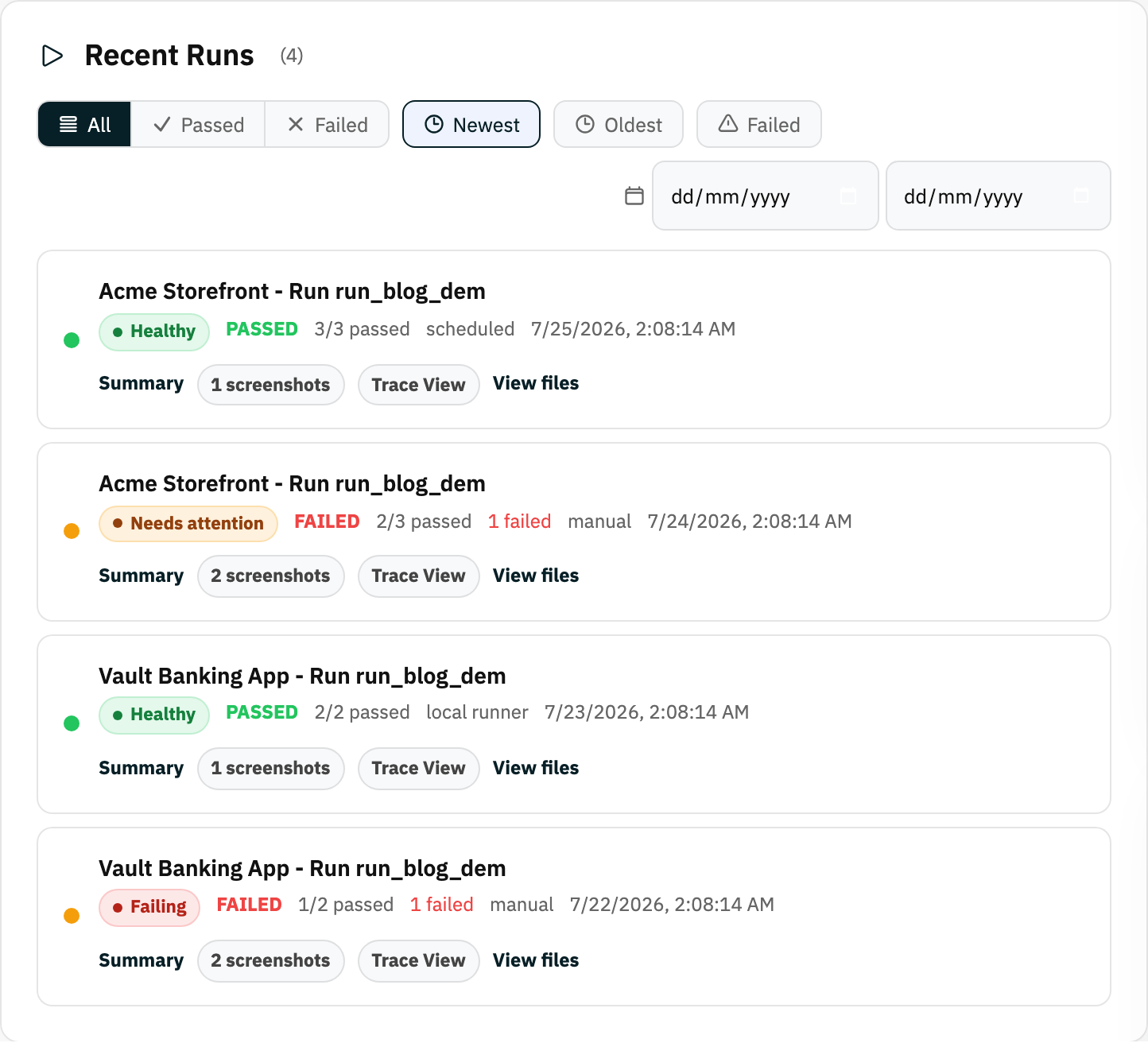
A run is one execution of one or more tests. It records what passed, what failed, when it ran, how it was triggered, and the evidence produced.
What it is for
Runs are the actual test results. The saved test is the recipe; a run is one attempt to execute that recipe.
How it works
- Starting a run queues the selected tests in order; Rima launches a browser, replays each step, and evaluates every validation.
- Runs can be triggered manually, from a dashboard group button, by a schedule, or by the local runner on your machine.
- While tests execute, Rima captures screenshots, video, a trace, network activity, and console output as evidence.
- Finished runs appear in Run History with a pass or fail status per test, and email reports go to members with notifications enabled.
Example
Running the “Checkout” group after a deployment creates a new run containing each selected test, its validations, screenshots, trace, and final status.
Common use cases
- Verify a deployment.
- Compare recent pass and failure history.
- Investigate an intermittent problem.
- Share evidence with a teammate.
Where to find it
Start a run from a project, a dashboard group button, a schedule, or the local runner. Open it from Run History or Recent Runs.
Limitations, requirements, and permissions
- Running tests requires run permission on the project and an eligible plan; concurrency limits apply.
- Only enabled tests are included in runs.
- Active runs can be canceled, but a finished run cannot be changed; start a new run instead.
Related features and guides
Ready to try it yourself?
Create your free account, record your first flow, add a validation, and let Rima run it on a schedule for you.
Start free trial