Definition
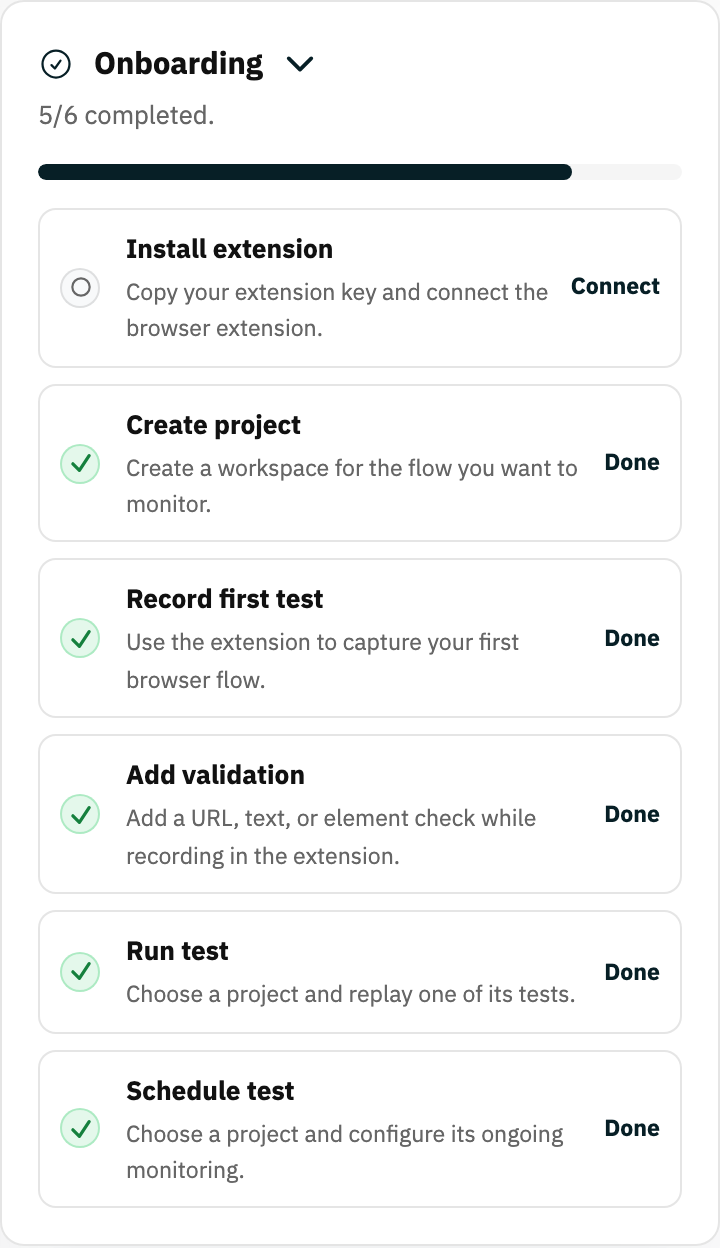
The onboarding checklist is a dashboard guide that tracks the first product setup milestones for a new account.
What it is for
It shows what to do next and links directly to each unfinished setup task.
How it works
- The checklist tracks the first milestones: create a project, connect the extension, record a test, run it, and related setup steps.
- Each unfinished item links straight to the place where you complete it.
- Completion is detected automatically from your workspace state; finished items tick themselves off.
Example
After creating a workspace, the checklist prompts you to create a project, connect the extension, record a test, and run it.
Common use cases
- Set up Rima for the first time.
- Resume an incomplete setup.
- Confirm the extension is connected.
- Reach the first successful run.
Where to find it
New workspaces see the checklist on the dashboard. Completed items tick themselves off.
Limitations, requirements, and permissions
- Progress is based on detected workspace and account state; items cannot be ticked manually.
Related features and guides
Ready to try it yourself?
Create your free account, record your first flow, add a validation, and let Rima run it on a schedule for you.
Start free trial