Definition
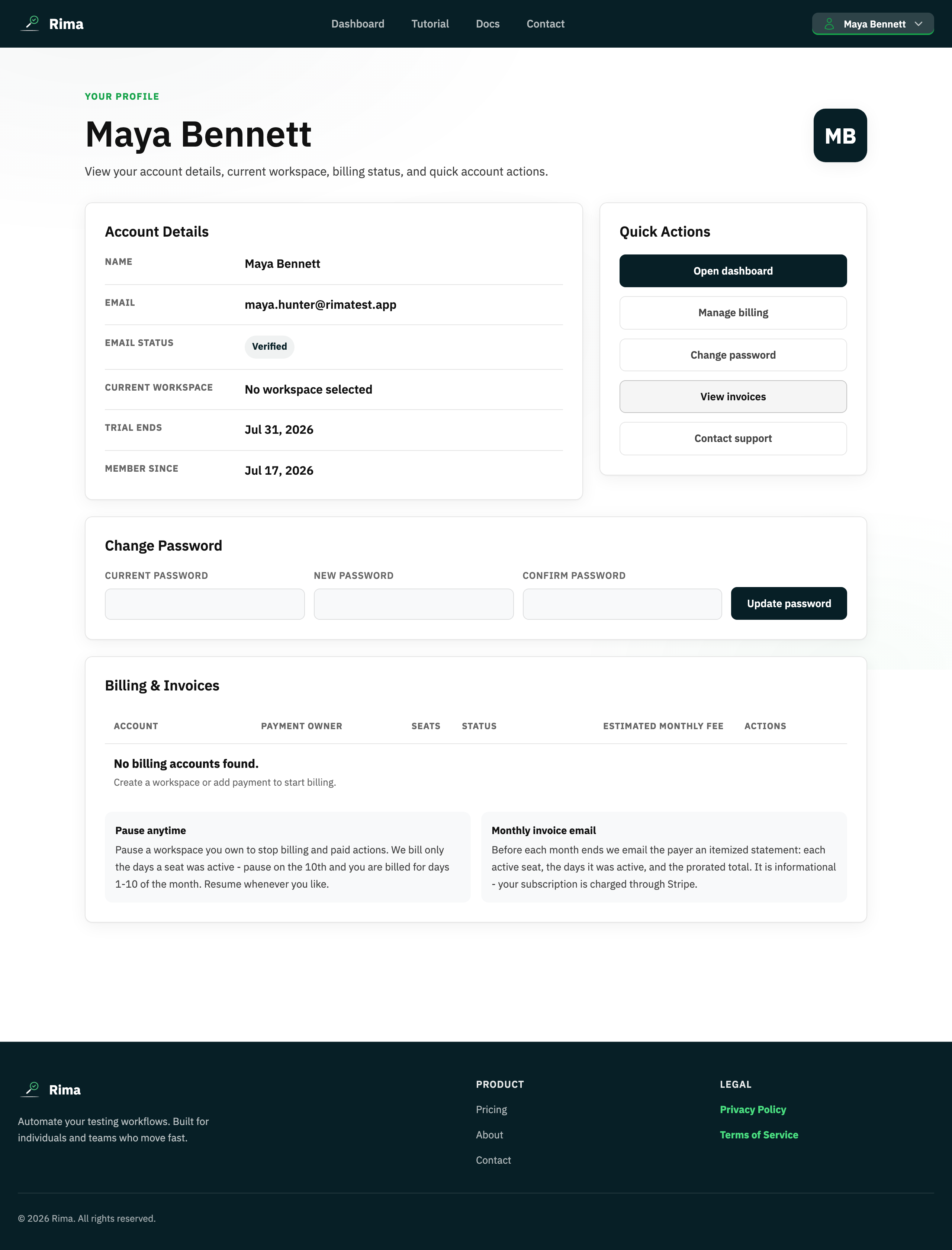
Profile settings is the account page for identity, email verification, password changes, workspace status, billing accounts, invoices, and help.
What it is for
It centralizes settings that belong to you rather than to one test.
How it works
- The page gathers your account details, email verification status, current workspace, trial end date, and member-since date.
- Change your password by entering the current one plus a new password and confirmation.
- The billing section lists billing accounts, recent invoices, and pause/resume/breakdown controls where you have permission.
- Quick Actions jump to the dashboard, billing, password change, invoices, and support.
Example
Open Profile settings to change your password, check when the trial ends, and open a recent invoice.
Common use cases
- Review account details.
- Change a password.
- Check email verification.
- Manage billing and help requests.
Where to find it
Open the profile menu in the navbar and choose Profile settings.
Limitations, requirements, and permissions
- Changing the password requires the current password; the new one must be 8–72 characters and meet the password policy.
- Billing controls appear only for users who can manage the billing account.
Related features and guides
Ready to try it yourself?
Create your free account, record your first flow, add a validation, and let Rima run it on a schedule for you.
Start free trial