Definition
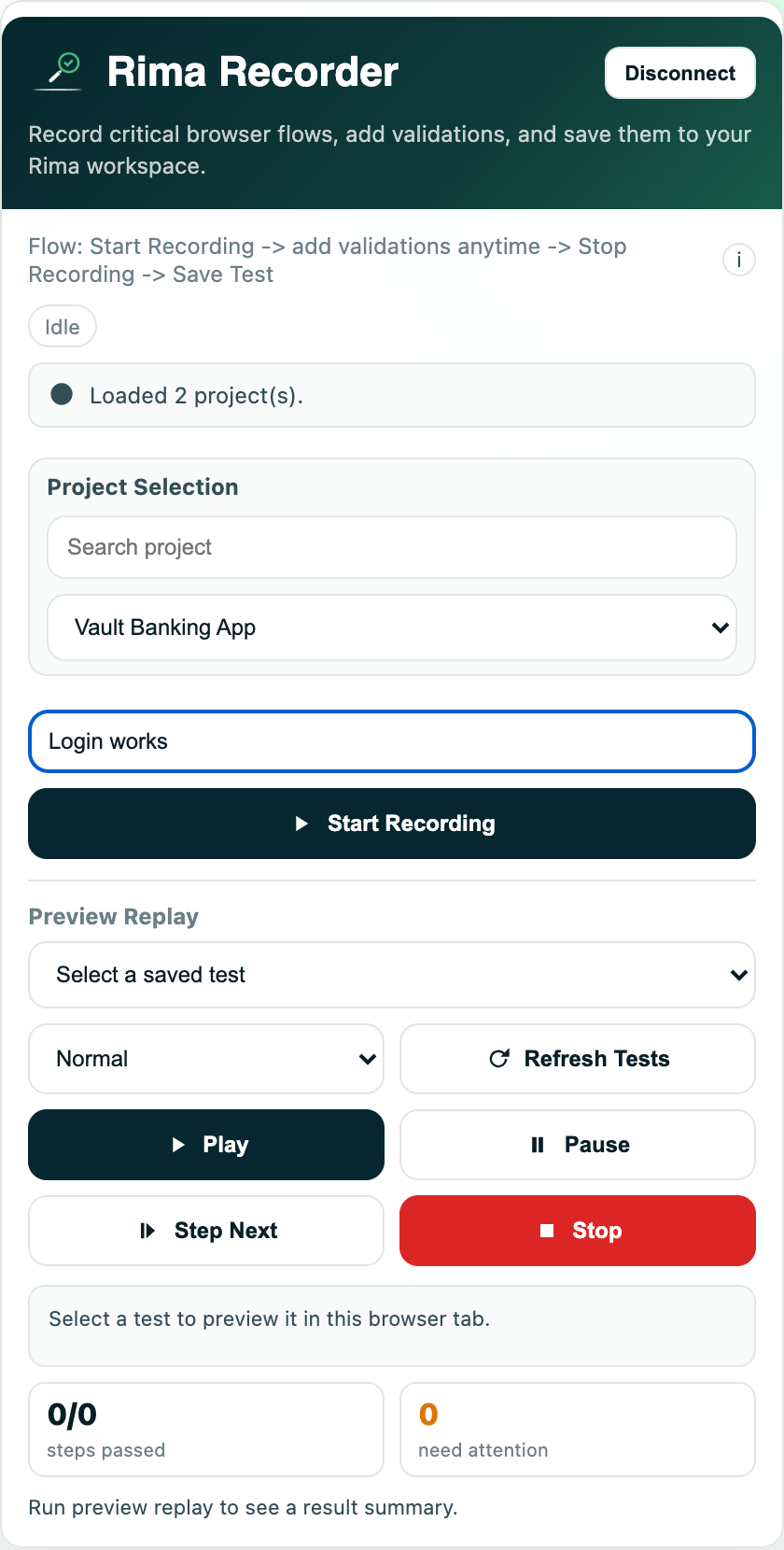
Preview Replay plays a saved test inside your current browser tab so you can watch the actions before starting a full run.
What it is for
Use it as a fast visual check while building or repairing a test.
How it works
- Choose a preview project and a saved test in the extension side panel, independent of the recording project.
- Press Play to execute the steps in the active tab, Pause to hold, Step Next to advance one step at a time, and Stop to reset.
- A speed control switches between Slow, Normal, and Fast pacing.
- Replay pauses or stops when an element is not found or a validation fails, so you can see exactly where the test breaks.
Example
After changing a login selector, replay the test at half speed and step through the submit action to confirm the correct button is clicked.
Common use cases
- Check a new recording.
- Debug one step interactively.
- Demonstrate a flow.
- Verify a selector after a page redesign.
Where to find it
Open the extension side panel, expand Preview Replay, choose a project and test, then use play, pause, next, speed, and stop.
Limitations, requirements, and permissions
- Locked while a recording is in progress; save or cancel the recording first (and stop replay before recording).
- The speed setting affects the preview only, not cloud or CLI runs.
- Runs in your current tab against the open page, so results depend on that page’s state.
Related features and guides
Ready to try it yourself?
Create your free account, record your first flow, add a validation, and let Rima run it on a schedule for you.
Start free trial