Definition
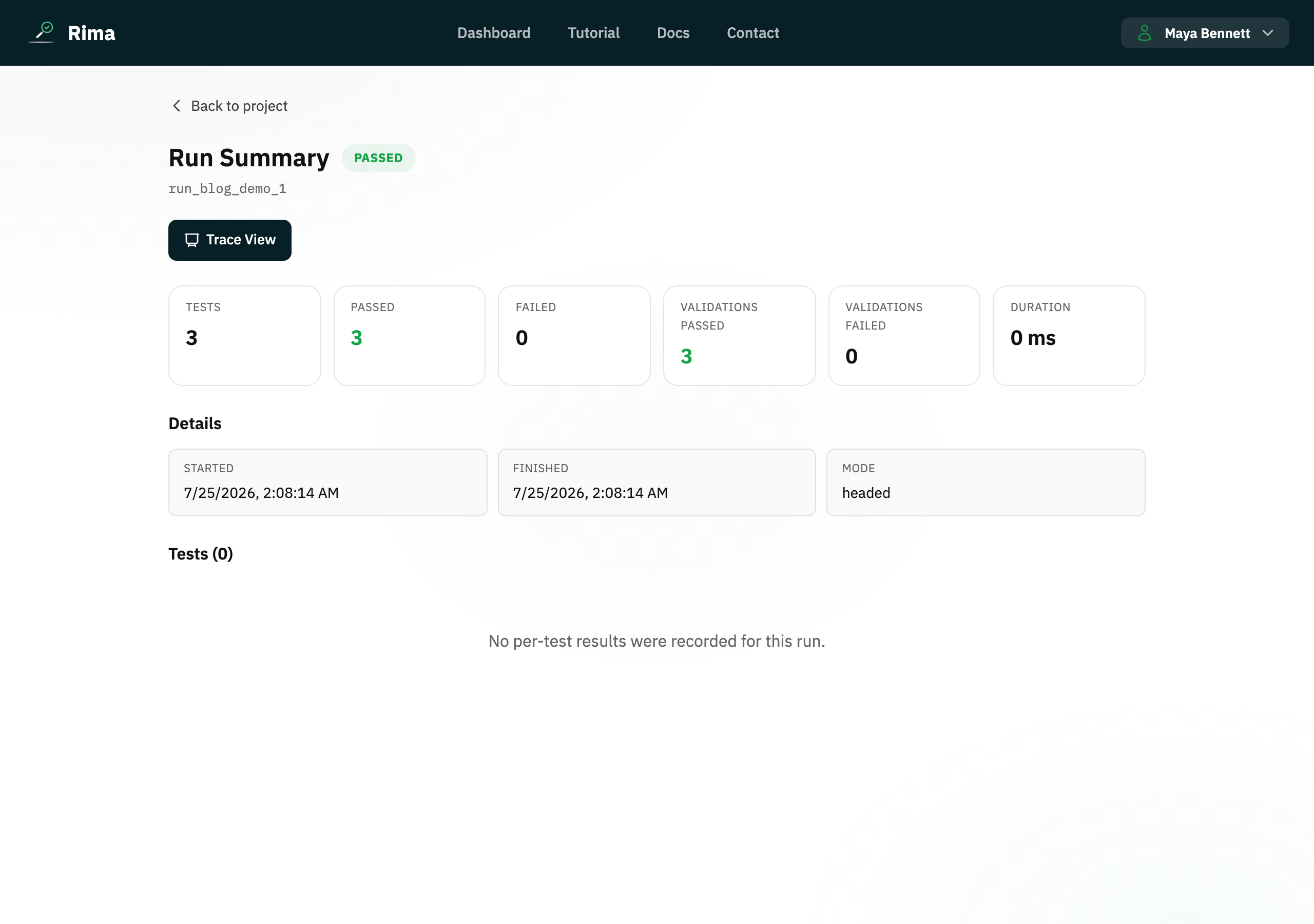
A public run report is a read-only result page opened through a share token, without requiring the recipient to sign in.
What it is for
It lets you share the outcome and evidence with a client or teammate who does not have workspace access.
How it works
- Choose Share report on a run; Rima generates a public URL containing a share token and copies it to your clipboard.
- Anyone opening the link sees the run status, per-test results, validations, and failure details, with no sign-in needed.
- The page is read-only; recipients cannot rerun tests or open the workspace.
Example
Copy the public report link for a failed release check and send it to a contractor so they can see the failure details.
Common use cases
- Share results with a client.
- Add evidence to an issue.
- Show a release gate result.
- Review a run outside the workspace.
Where to find it
Use Share report from Run History or the run page, then copy the generated link.
Limitations, requirements, and permissions
- The link works for as long as the share token remains valid; treat it as sensitive, since anyone with the link can view the report.
- Generating a share link requires access to the run.
Related features and guides
Ready to try it yourself?
Create your free account, record your first flow, add a validation, and let Rima run it on a schedule for you.
Start free trial