Definition
Click link from email is a test step that finds a matching message, extracts a link from it, and opens that link in the browser.
What it is for
It automates journeys that leave the website and must continue through an emailed link.
How it works
- The step reads the generated test inbox, finds the matching message, and extracts its links.
- Link matching modes: open all links, links containing text, links matching a regular expression, or links similar to a sample URL with a match threshold.
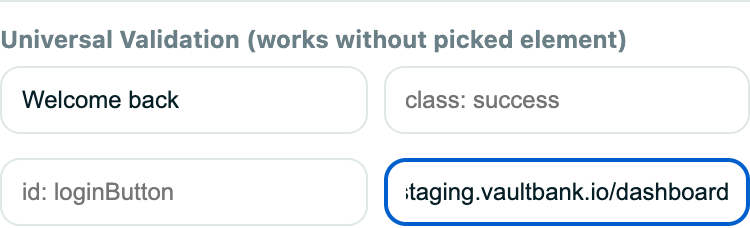
- Optional post-click verification checks page text, the final URL, or that an element exists; several links may be tried until verification passes.
Example
After registration, find the verification email, click the link containing /verify, and validate that the account becomes active.
Common use cases
- Magic-link login.
- Account verification.
- Password reset.
- Invitation acceptance.
Where to find it
Expand a test in its project, choose Add step, and select Click link from email.
Limitations, requirements, and permissions
- Available only in tests with a random-email step that creates the inbox.
- The sample-URL similarity threshold runs from 5 to 95 percent.
- If no link matches, or verification never passes, the step fails.
Related features and guides
Ready to try it yourself?
Create your free account, record your first flow, add a validation, and let Rima run it on a schedule for you.
Start free trial